Overview
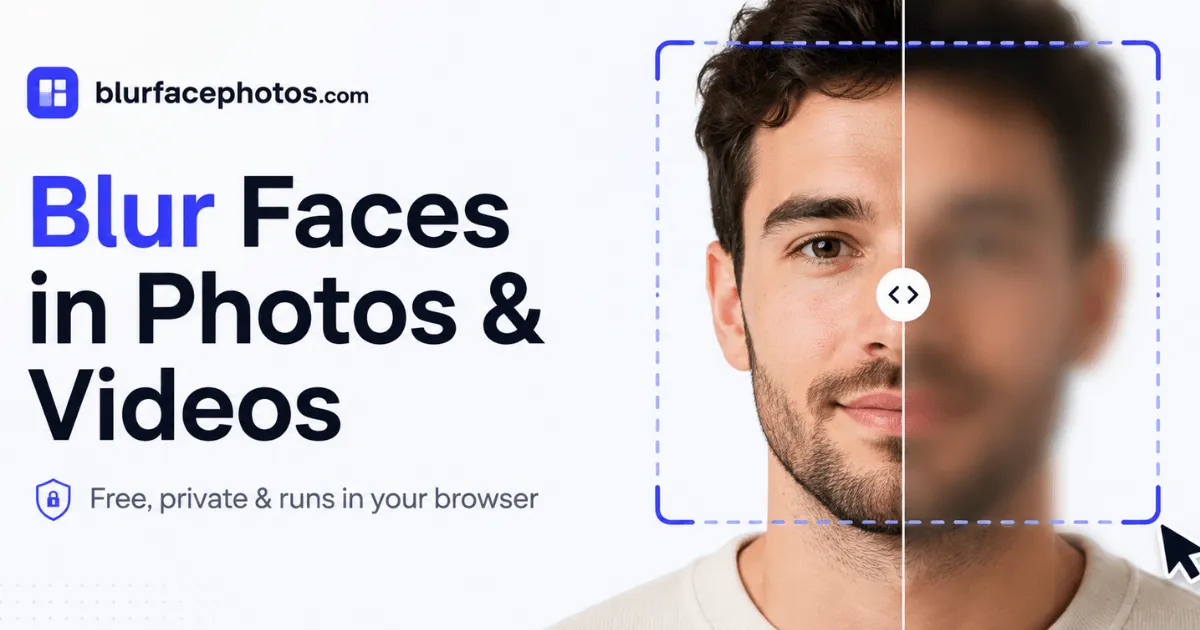
BlurFacePhotos is an online privacy-first tool designed to blur, pixelate, censor, or hide faces in both photos and video. The core value proposition is simple: every operation happens locally in the user's browser, meaning images and clips never leave the device. This approach directly addresses a major concern with many “blur face online” services, which typically upload content to remote servers for processing. By eliminating that step, BlurFacePhotos positions itself as a GDPR-friendly, zero-trust solution for journalists, creators, HR teams, and everyday users who need to anonymize visual content quickly.
The tool is built for a broad audience, from individuals sharing family photos to professional publishers protecting sources. It operates entirely client-side, using face detection algorithms that run in the browser. This architectural choice not only enhances privacy but also removes the need for account creation or a learning curve. The website itself is straightforward, offering an open editor from the landing page, along with dedicated sections for camera and video blurring.
In a market crowded by upload-based alternatives like Facepixelizer or Adobe Photoshop, BlurFacePhotos differentiates itself through its privacy guarantee and a generous free tier. While some competitors offer similar effects, few match the combination of local processing, batch handling, and video support in a browser interface. The tool also includes a premium tier for advanced needs like full-HD video export and unlimited batches, making it scalable for professional workflows.
Key Features
Local-Only Processing Every detection and blurring process runs entirely in the browser using JavaScript and WebAssembly. No photo or video data is transmitted to a server at any point. This is the foundation of the service and a major competitive advantage, especially for users handling sensitive data or bound by privacy regulations.
Multiple Redaction Effects Beyond simple blur, BlurFacePhotos offers pixelation, mosaic effects, black or white bars, noise overlays, color inversion, and emoji stickers. Users can apply these to the whole face, just the eyes, or the mouth, with one-click switching. This flexibility makes it suitable for various censorship styles, from the classic black bar to playful emoji masking.
Automatic Face Detection The system detects faces in uploaded photos automatically, marking each one for the chosen effect. It supports up to five faces per image or video frame, which covers most group shots. The detection appears fast and accurate based on the interactive demo, and users can also manually adjust selection areas if needed.
Video Face Tracking For video, BlurFacePhotos tracks faces across every frame, applying the selected effect consistently throughout the clip. This is a complex feature typically reserved for desktop editing software, but here it works directly in the browser. Exports are processed locally and saved as WebM or MP4, depending on the plan.
Live Camera Mode A dedicated camera tab allows real-time face blurring, which is useful for streaming, video calls, or recording content where participants need instant anonymization. This feature works directly in the browser without additional plugins, a rare capability among web-based tools.
Batch Processing The free plan supports batch processing of up to five images at once, while Premium removes the limit. This is a significant time-saver for creators who need to anonymize multiple photos for a publication or social media post. The workflow remains consistent, with all images processed locally.
No Sign-Up or Upload Users can start using the tool immediately from the landing page. There is no mandatory account creation, and the entire free tier functions without registration. This frictionless onboarding is rare in the SaaS space and reflects the product’s emphasis on simplicity and speed.
How It Works
To use BlurFacePhotos, a visitor lands on the homepage and can immediately click “Open the editor” or drop a file into the dedicated upload area. The interface is minimal, with three tabs for Image, Camera, and Video. For images, users can drag and drop JPG, PNG, or WebP files, or click to browse. Once an image loads, the tool automatically detects faces and overlays a selection area on each. The user then chooses the region (whole face, eyes, mouth) and the effect (blur, pixelate, black bar, etc.). A live preview shows the result, and clicking download exports the anonymized image as a PNG file. No account, no watermark, and no upload.
For video, the workflow is similar but adds a tracking step. Users upload an MP4 or MOV file, and the system processes it frame by frame, applying the chosen effect to every detected face. Depending on video length and device performance, this can take a few seconds to minutes. The output is then saved locally. The camera tab directly accesses the device’s webcam, letting users apply effects in real time.
The entire UI is designed to be self-explanatory. There are no settings pages or configuration panels, which keeps the learning curve to near zero. The portal also includes a guide section with detailed use-case pages, such as specific tutorials for blurring faces in Photoshop or CapCut, though these are external alternatives. For developers, an API is documented and planned to launch at a starting price of $49, enabling server-side integration.
Use Cases
Journalists and Documentarians When covering protests, courtrooms, or sensitive interviews, journalists often need to protect the identity of bystanders and sources. BlurFacePhotos allows a reporter to blur faces in a set of photos or a video clip without uploading evidence to a third-party server, preserving the chain of custody. The batch feature helps process multiple images from a single event quickly.
Social Media Managers Brands and influencers frequently share user-generated content or group photos. Using this tool, a social media manager can pixelate or blur faces of people who didn't consent to be featured, directly in the browser. The emoji sticker effect offers a lighter, more playful alternative that fits casual platforms like Instagram or TikTok.
HR and Compliance Teams For internal onboarding documents, GDPR-mandated case studies, or training materials that include employee photos, HR departments can redact faces to protect privacy. The local processing ensures that these sensitive images are never transmitted over the network, aligning with data protection policies.
Educators and Researchers When publishing research involving human subjects, academics must often anonymize faces to comply with ethics board requirements. BlurFacePhotos provides a quick way to apply consistent blurring across a dataset, with no need to learn complex desktop software.
Everyday Users Even for personal memories, there are moments when someone in a photo prefers not to be identifiable. The free, sign-up-free nature of the tool makes it a convenient choice for casual users who just need to censor one photo before posting it to a family group chat.
Pricing & Value
BlurFacePhotos adopts a freemium model. The Free tier is ad-supported and includes unlimited photo blurring with up to five faces per image, batch processing for up to five photos, and no watermark. This is genuinely useful and generous enough for casual or light professional use. None of the user's content is ever uploaded, so even the free tier respects privacy.
The Premium tier costs $4.99 per month when billed annually, or $8.99 on a monthly basis. It removes ads, unlocks video face blurring, full-HD and 4K video export, unlimited batch processing, every effect with no limits, and a commercial-use license. This is competitively priced against desktop software and even other online tools, which often charge per export. For someone needing video redaction, this is a reasonable subscription.
A third tier, labeled “API & Business”, is planned at $49 per month, targeting enterprises that need to anonymize content at scale via a REST API. This is currently in development and shows the company’s ambition to move beyond a consumer app.
Compared to a one-time purchase like Photoshop or a paid service like Facepixelizer, the subscription model may not suit users with only occasional needs. However, the free photo feature covers most basics, making the Premium tier more of an optional upgrade for power users. Overall, the pricing structure is transparent and provides strong value, especially given the privacy guarantees.
Final Verdict
BlurFacePhotos stands out as a thoughtful, privacy-first solution in the face-redaction market. Its client-side processing is a definitive architectural advantage over any upload-based competitor, and the free photo feature is remarkably generous with no sign-up barrier. The interface is clean, fast, and easy to navigate, making it accessible to non-technical users while still offering sophisticated effects.
The tool does have limitations. Video blurring is locked behind the Premium plan, which may disappoint casual users who only need to censor a short clip occasionally. The free batch limit of five photos could also be restrictive for large archives. Additionally, the output formats are limited to PNG and WebM at their defaults, though full-HD and 4K options exist on Premium.
For journalists, privacy advocates, and anyone handling sensitive imagery, BlurFacePhotos is an essential addition to the digital toolkit. For teams needing scalable anonymization, the upcoming API could become a valuable asset. Those seeking a one-time offline tool might find the subscription model less appealing, but for most, the free tier alone is worth trying. Check the pricing page for the latest details, and take a look at the editor to try it directly.