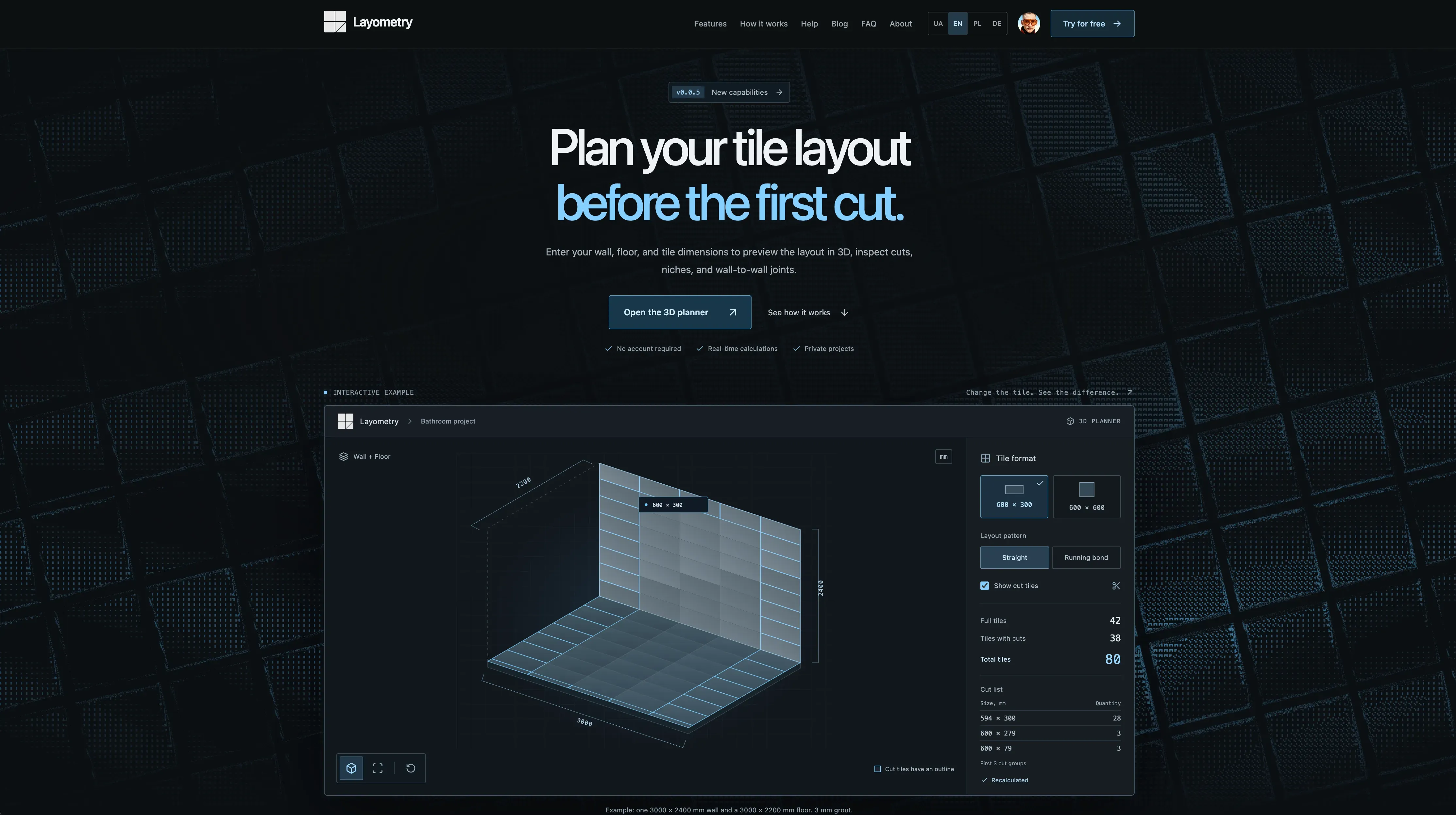
Layometry is a 3D tile layout planner that runs in the browser. You enter the real dimensions of the room and of the tile, and it draws the layout the way it will actually be installed: how many full tiles fit, where the cuts land, what size each cut piece is, and how the joint meets in a corner.
Most tile calculators divide floor area by tile area. Layometry computes the geometry. Grout width is added to every tile, so the grid pitch is tile plus joint — one millimetre changes the number of full tiles on a long wall and the size of the edge cut. Layout pattern, grid rotation from −90° to +90°, symmetric layout and grid offset all move the cuts, and you see the result immediately. Walls that are out of square are measured four times — width at the bottom and top, height left and right — and the grid stays level while the wedge-shaped edge cuts absorb the error, exactly as a tiler works from a base line. Floors can take a custom outline of up to 64 corners, including L-shapes and concave rooms.
The output is paperwork you can work from: a cut list grouped by size within each material, a CSV cut list for the shop, and a vector PDF report with a drawing of every surface, dimension lines, element coordinates and the real size printed on each cut tile. JSON export backs up or moves a project.
The planner opens without an account and keeps the project in your browser. Signing in stores projects in a private cloud workspace and unlocks export; guest work is carried over, not lost. Projects are visible only to their owner — there are no public project links. Works on desktop, tablet and phone, in millimetres, centimetres, inches or feet, with the interface, help and reports available in English, Ukrainian, Polish and German. Free to use while Layometry is in public beta.